What Metodic can do › Together
Collaboration on a session
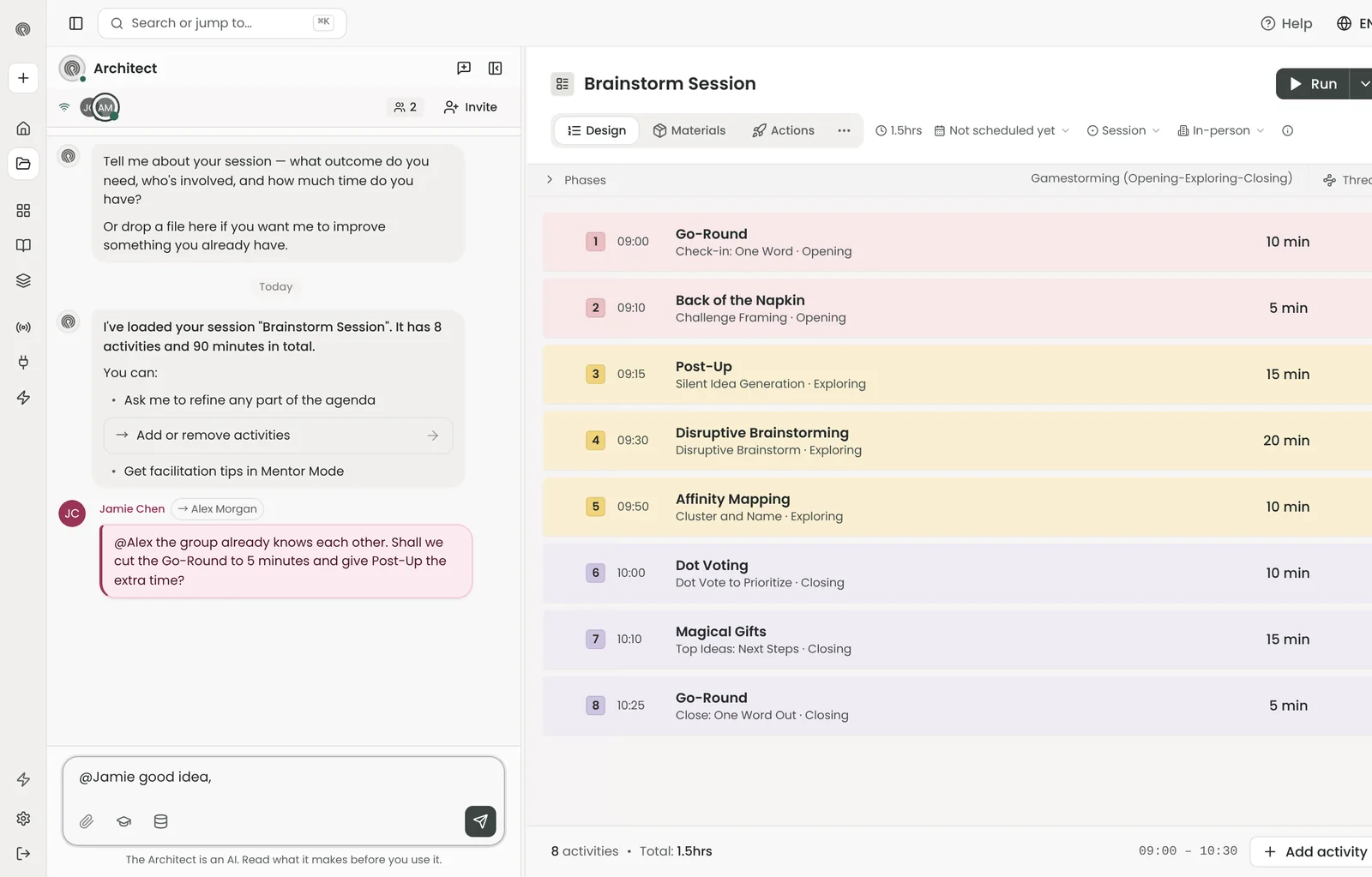
Invite colleagues into a session to design it with you in real time: everyone sees who else is in, you talk in the session's chat and leave a note for someone with @.
What you do with it
- Invite people into a session. Open Invite in the Studio and add a colleague by email, add teammates with one click, or copy the session's join link and send it. An email invitation arrives with a link straight into the session; whoever opens the join link while signed in joins it.
- Work in the same session at the same time. Everyone who has the session open shows up with their initials and colour, and you see when someone is typing. The agenda, the materials and the Architect's chat are the same for everyone, so one person can rework the agenda while another makes the worksheets.
- Talk where the work is. The session has one chat for the people and the Architect. Type @ and a name to leave someone a message, or pick Everyone in the list for the whole group. A message with an @ goes to people, not to the Architect. They get a badge and see it the next time they open the session, so feedback stays with the design instead of in an email thread.
What collaborators share
- The same agenda, activities and minutes, saved for everyone
- The materials: worksheets, slides, card decks and documents
- The session chat, including what the Architect proposed
- Who is in the session right now, and who is typing
- @mentions with a badge until the person has read them
- A join link to copy and send, next to email invitations
When it helps
For co-facilitators preparing the same workshop, for a lead designer who wants a colleague's eyes on a draft, for a trainer and a subject expert writing one programme together, and for teams that want to reuse each other's sessions from the team library.
Plans and credits
Inviting people into a session works on every plan, Free included. The team library and adding teammates with one click come with a team (Professional and higher).
Video
- Design together: Invite colleagues into the Studio, leave notes with @, and share your best sessions in the team library.